
Skip to content

Getting started

  • Sign in for the first time
  • Multi Factor Authentication
  • Login
  • Reset password
  • Microsoft 365 Dashboard

General

  • Multi Factor Authentication
  • Login
  • Reset password
  • Update your profile and phone number
  • In case your device is lost or stolen

Office applications

  • Use Word, Excel and Powerpoint in the webbrowser
  • Install Office on your laptop

Outlook

  • Email signature
  • Using Outlook
  • Share your calendar someone
  • View calendars from others
  • Set up Outlook on iPhone
  • Set up Outlook on Android
  • Adding a Shared Mailbox

Teams

  • Using Teams
  • Accelerant Background in Teams
  • Project files and folders
  • Synchronize Teams files to OneDrive

OneDrive

  • Using OneDrive
  • Change the language of OneDrive in the browser
  • Synchronize Teams files to OneDrive
  • Add an extra account to OneDrive

Accelerant project management tool

  • Login
  • My Work dashboard
  • Update your project status report (PSR)
  • Project dashboard
  • Update the issue log
  • Update the risk log
  • Update KPI data
  • Enter actual effort
  • Update Milestone % complete
  • Update and submit your PSR
  • Home
  • Support articles
  • Getting started
  • Sign in for the first time
View Categories

Sign in for the first time

< 1 min read

You have received an email address and temporary password from your system administrator.
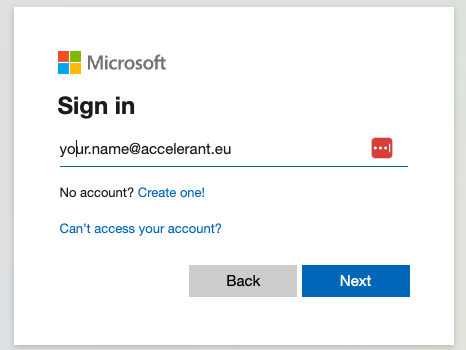
  1. To activate your account go to: https://login.accelerant.eu. This forwards you to the Microsoft 365 login portal.
  2. Follow the steps and enter your email address and password.
  3. You will be required to create a new password upon logging in the first time. Please make sure your password contains at least 8 characters and consists of a mix of uppercase letters, lowercase letters, numbers, and special characters.
  4. The use of Multi-Factor authentication is mandatory. Please set it up directly when logging in the first time.

    Read more about Multi-Factor Authentication here.
Microsoft 365 DashboardMulti Factor Authentication