
- Go to the project home screen by clicking in the ‘Home’ tab
- Click on the button for the KPI summary to update the KPI data for the current week. This data is relevant for the PSR.
The KPI summary dashboard shows the KPI records for your project in the current week: STMP/SIS/API scores, Operational KPIs and Financial KPIs. You can maintain the KPI data directly from this dashboard view.
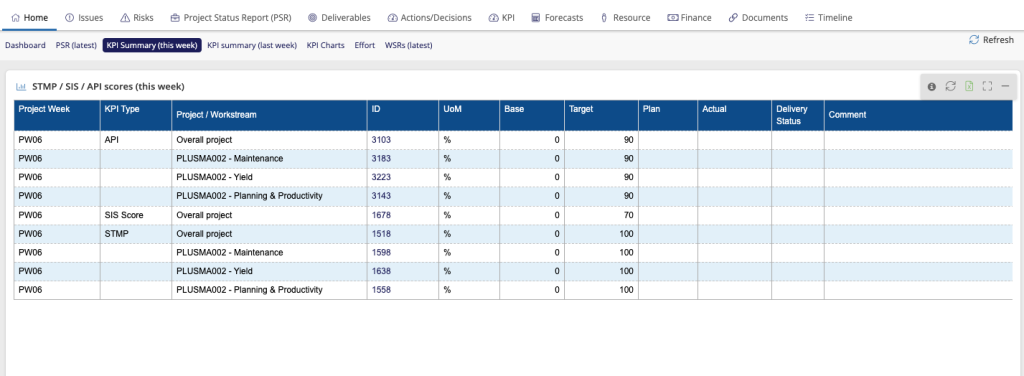
- Click on the link in the ID column for the KPI you want to update.
- Enter the KPI data in the pop up screen and click on Save and close when done.
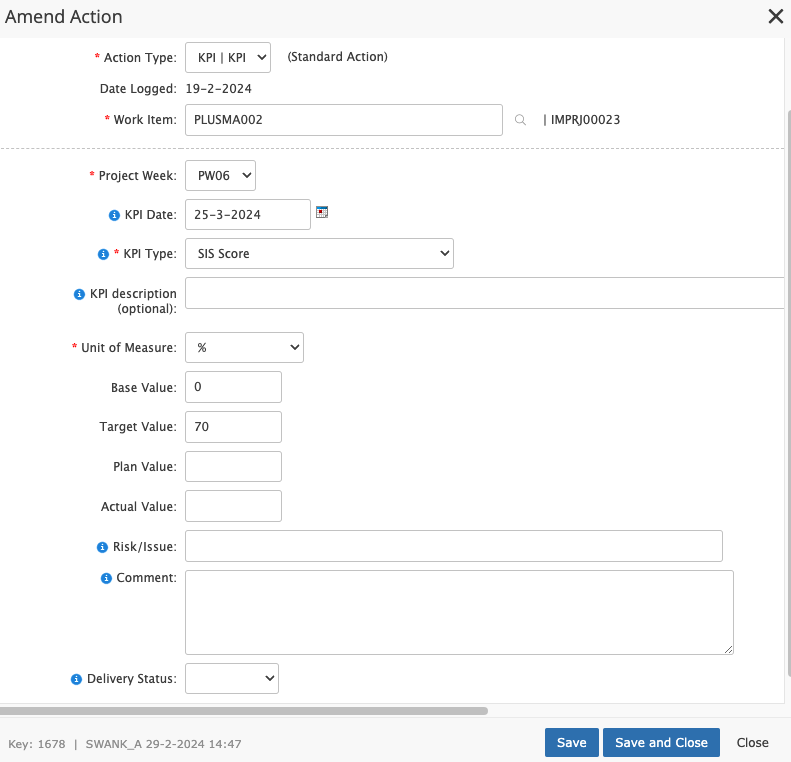
Do this for all KPIs in the list. Results are not directly visible in the summary overview. To view the results in the summary overview, click on the Refresh button on the top of the page.
(When a project starts, the list of KPIs that need to be tracked during the project will be uploaded in the system based on input from the project manager. If you need additional KPIs during the project please contact support@accelerant.eu to help you set this up.)